Skip to content
Zankap Pty Ltd
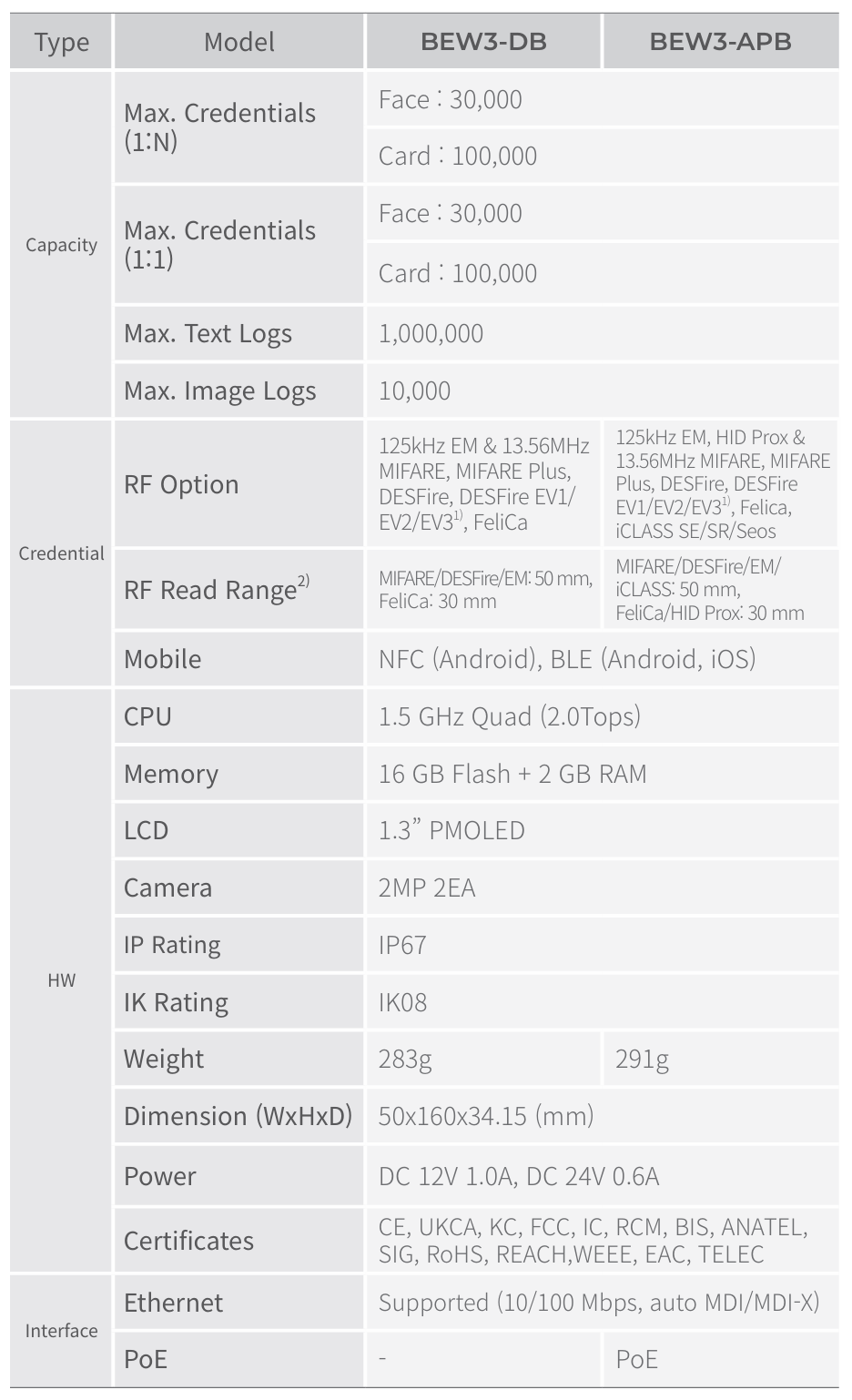
Suprema BioStar Air BioEntry W3 Outdoor Facial Recognition Reader, 100K Users, Prox, PoE & NFC, MI Fare, SEOS, Iclass
SKU: BEW3-APB
![]()
Suprema BioStar Air BioEntry W3 Outdoor Facial Recognition Reader, 100K Users, Prox, PoE & NFC, MI Fare, SEOS, Iclass
https://admin.biostarair.com/
1) Create a Site
Give the site a name — this represents a BioStar Air cloud tenant/site.
Admin Console
https://cloud.biostarair.example/admin
2) Assign Users to the Site
Create one user (Name, Email, Mobile). This simulates inviting a user to the site.
Users
| User | Email | Mobile | Status |
|---|
| No users yet. |
When you add a user, an invitation email will appear on the phone.
9:41
5G ●●● 92%
From: BioStar Air <no-reply@biostarair.example>
You’ve been invited
An administrator invited you to join a site and receive a mobile access credential.
Tap Get credential to install the app and provision a digital credential.
Hold your phone near the reader to unlock.
Tip: drag this phone over to the reader on the right panel.
3) User receives email & provisions credential
This stage simulates the invite email and app provisioning. Once provisioned, you can badge the phone to the reader.
![]()
NO IMAGE
Added to your cart:
▲